Hidden Camera Detection: Protecting Your Privacy in the Digital Age
In today's increasingly connected world, privacy concerns have taken center stage. One particularly disturbing trend is the rise of hidden surveillance cameras in places where we expect privacy - hotel rooms, shared accommodations, changing rooms, and even public restrooms. This blog explores how to protect yourself from hidden cameras and introduces a comprehensive tool designed specifically for this purpose.
1. What does hidden camera (spy cam) look like?
Usually hidden cameras have lenses less than 1cm in diameter to make them easy to hide.
Hidden cameras have become alarmingly affordable and easy to purchase. Once bulky and obvious, today's surveillance devices can be disguised as everyday objects - from wall clocks and smoke detectors to USB chargers and even screw heads. Their miniature size and wireless capabilities make them increasingly difficult to detect with the naked eye.
Recent reports from the hospitality industry and rental properties have highlighted this growing problem. Travelers worldwide have discovered hidden cameras in their accommodations, leading to serious privacy violations and emotional distress.
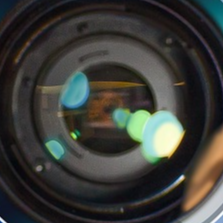
Most hidden camera have small camera lenses attached directly on top of the exposed electronic board without a case or cover to reduce the size.
But note that even though the camera is hidden, the lens has to be exposed to film anything. Which means you can spot a hidden camera in a suspicious place with really good eyesight and patience, in theory.
Anyways, the exposed lens is a huge weak point of a hidden camera.
2. Likely spots a hidden camera might be hidden inside.
A hidden camera wants to film your private moments unnoticeably.
Which means its first choice is where your personal space is well exposed:
Where the bed area is exposed
Where he sofa in the living room is exposed
Most places in the bathroom
Most places in the locker and dress room
Upper part of the room or a living room ( above human height where can be easily overlooked)
A places where it can draw on the electricity to power it continuously or at least for a long period.
Power outlets
Fire detectors
Motion detectors
Devices that can be a constant power source, such as alarms
A/Cs
Audio players or Televisions
Also:
In a Car: Rearview mirrors in newer cars with smart features are a popular place to hide cameras. This could be the case of rental cars, taxis, or any vehicle that isn't your own.
In a Clock: Clocks are good spots to hide cameras because they are usually near your bed or placed at a high vantage point. They run 24/7, making them inconspicuous.
In a Smoke Detector: Smoke detectors are always on and can be used to hide cameras. Some camera models can even livestream.
In clothes hanger: clothes hangers are popular areas for hidden cameras, especially in dressing rooms.
Remember to be vigilant and check for any unusual objects or features in these places. If you find anything suspicious, cover the camera and unplug it if possible. Keep an eye out for lights or small LED indicators that may give away hidden cameras.
These are the usual places for a hidden camera is to be located, but it can also be inside a clock or a furniture, especially in some accommodations and lockers — where the hidden cameras may even installed in the first place with the permanent power source as the part of the interior.
But one thing you shouldn’t forget is that a hidden camera has to be set up in the place where we can you in order to film you.
3. How to spot a hidden camera with your smartphone
Most smartphones you can buy now have cameras, flashlights, and magnetic field sensors built in, which is used by lots of free applications in Google Playstore that helps you find a hidden camera. It is more trustworthy, convenient, and simple to use use smartphones than to purchase an unverified detector. Here is the best app for detecting a hidden camera — that comprehensively utilizes built-in cameras, flashlights, and magnetic field sensors most well.
This app has three options for you to choose from: 'electronic device detector', 'infrared/negative detector', 'composite detector', and here is how to use them.
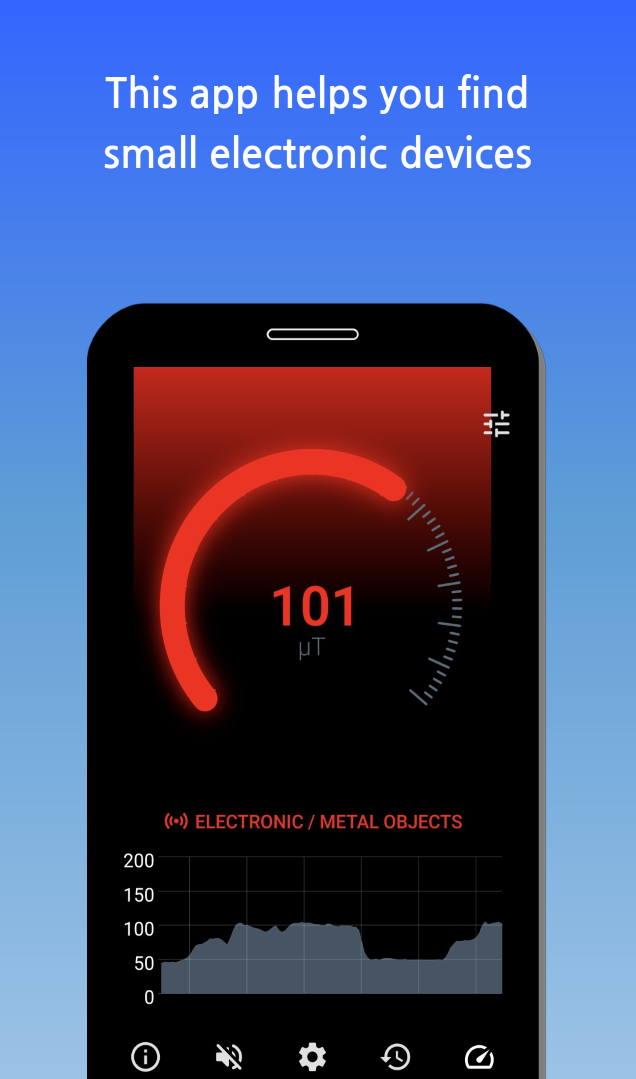
(1) Electronic device detector
When the app detected an electronic device or a metal.
Select Electronic device detector on the menu while scanning a suspicious wall, hole, alarm, furniture, interior. An alarm will be heard and warning sign will pop up when the app detects unexpected device or a metal object.
※Disclaimer: Your inspection is needed to discern if the detected object is actually a hidden camera, and this method is just to assist for detecting a hidden camera.
(2) Infrared/negative detector
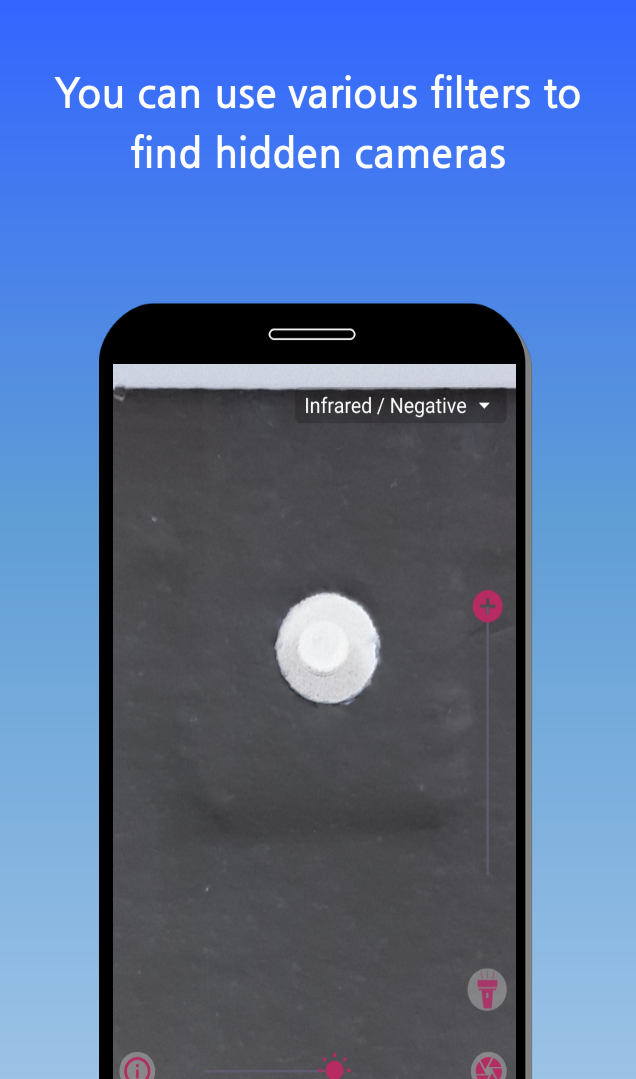
When the app discerns hidden camera lens using negative (ultra red) filter.
This is when the app discerns a hidden camera lens using negative/ultra red filter function in the smartphone camera. Negative/ ultra-red filter helps greatly to discern images normally won’t show up with naked eye.
Scan suspicious area using negative/ ultra-red filter function in the app, and search thoroughly on the spot where the app indicates with bright spot like the middle part of the upper left picture.
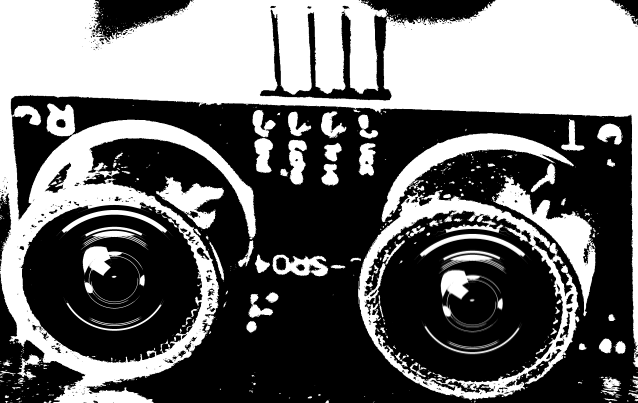
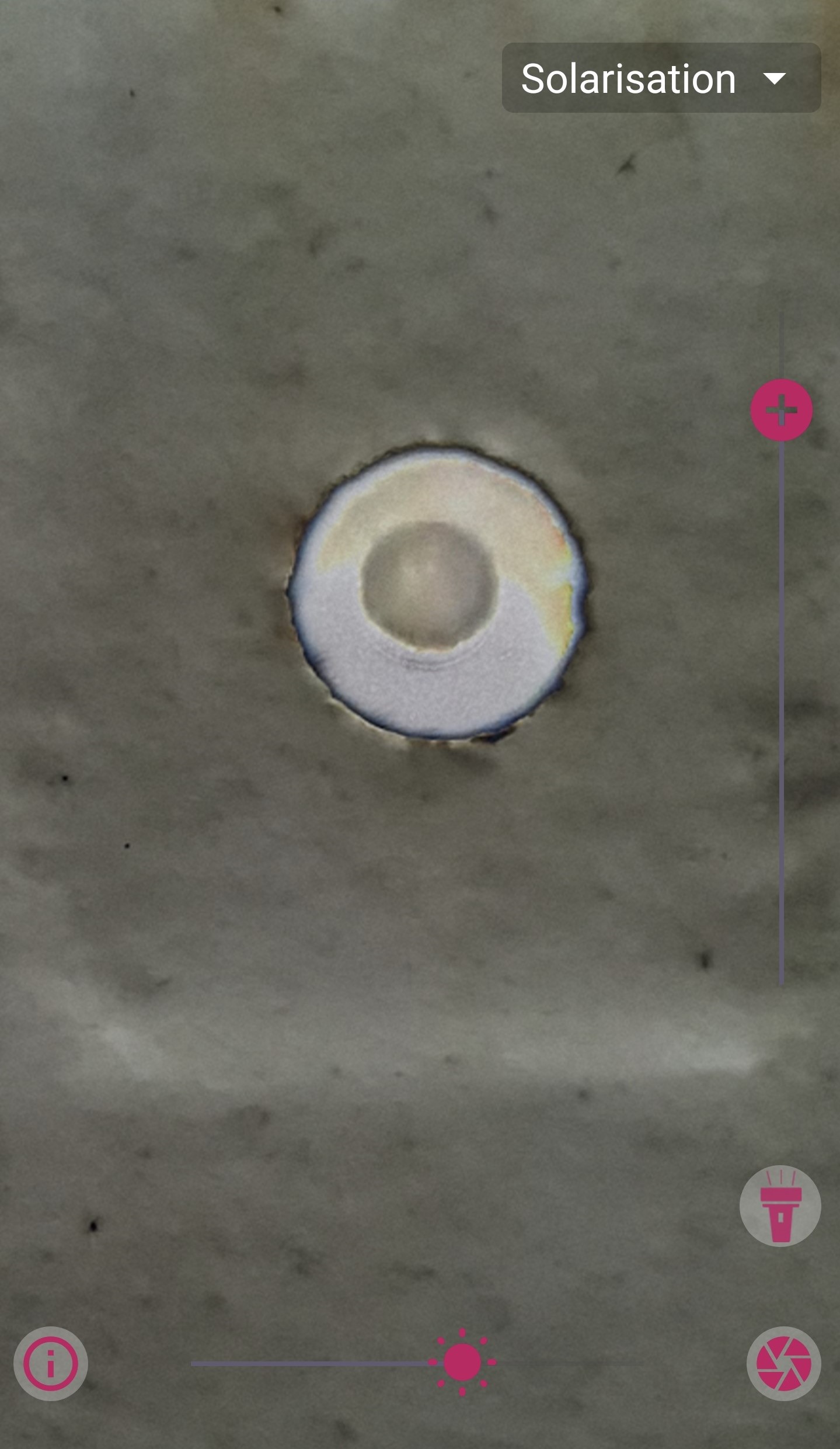
Using solarisation filter:
Applying solarisation option under the negative/ultra-red filter helps finding a suspicious object by showing an inverted version of the naked eye.
When the polarization option is turned on in the negative/ ultra-red filter, it becomes like the picture above, making the lens more prominent.
This app introduced in this post offers variety of more filters such as red, or blue besides the filters introduced here. Scanning the same spot multiply applying various filter may raise the possibility to find the lens of a hidden camera.
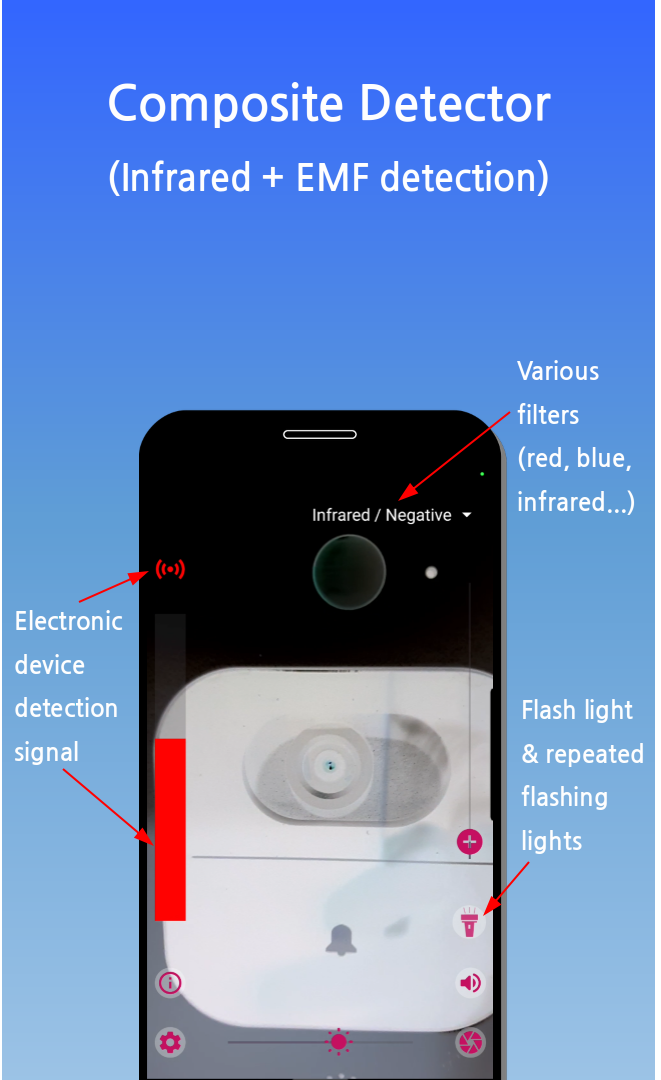
This is how the camera is detected with Composite detectorfunction in the hidden camera detection app introduce d in this post.
The composite detector from this app helps you find a hidden camera more effectively and simpler than using just visual detection and magnetic field detection combined.
Using flashlight with the filters:
This app also has a function that utilizes smartphone flashlight to shine on a suspicious area to check if the hidden camera lens reflects the light. Like aforementioned, the lens of a hidden camera has to be exposed to outside to film. And since the surface of the lens is made of a reflective material such as glass, if you use a function such as a luminescent light detection, a hidden camera might be there if something reflects a light in a suspicious area. Selecting various filter such as red, blue, or negative/ultra-red filter while using flashlight or luminescent light function helps you to find a reflected spot more easily.
This is how you can search a suspicious area free just using your smartphone without having to spend money on an additional hidden camera detecting device. It is also easy to use when you are on a travel while staying in accommodations such as motels or hotels since you can just use your smartphone. (In fact, this hidden camera detector app in smartphone may be better since electronic parts in a smartphone is more greater than middle-to-lower-grade hidden camera detectors.)
The app store links where you can download the hidden camera detection app recommended in this post are as follows:
About Network Scanner Network Scanner is a powerful iOS application designed to help you discover and analyze devices on your local network. Whether you're a network administrator, IT professional, or curious user, our app provides comprehensive network scanning capabilities right from your iPhone or iPad. ## Key Features 🔍 **Network Device Discovery** - Automatically discover all devices connected to your network 🔒 **Security Scanning** - Analyze your network for potential security vulnerabilities 📱 **Bluetooth Device Detection** - Scan for nearby Bluetooth devices 📊 **Network Analysis** - Get detailed information about your network configuration 🛡️ **Security Assessment** - Receive security recommendations for your network ## How to Use 1. Download Network Scanner from the App Store 2. Grant necessary permissions (Location for WiFi access) 3. Tap "Scan Network" to start discovering devices 4. Review results and security recommendations 5. Use detailed device info...
MyLibrary - Book Manager | Support About the App MyLibrary helps you organize your book collection with ease. Add books via barcode scanning, track reading status, manage loans to friends, and keep a wishlist – all privately on your device. How to Use Adding Books 1. Barcode Scan: Tap "Add" → "Scan Barcode" → Point camera at book's ISBN barcode 2. Batch Scan: Tap "Add" → "Batch Scan" → Continuously scan multiple books 3. ISBN Search: Tap "Add" → "ISBN Search" → Enter ISBN manually 4. Text Search: Tap "Add" → "Text Search" → Search by title, author, or keyword 5. Manual Entry: Tap "Add" → "Manual Entry" → Fill in book details yourself Managing Your Collection • Organize books by custom locations (e.g., "Living Room Shelf", "Office") • Assign personal categories to group similar items • Track reading status: Unread, Reading, or Completed • Add personal ratings and n...

Comments
Post a Comment